Trainings and Onboarding
This page contains general information and links for staff at CCETC. See also links on the IT, Maha and Tech page
Onboarding: New Staff Links
Activating your Cornell Net ID
Activating Two-Step Authentication
CCE Staff IT Orientation Guide - Cornell Box license required
IT service requests. You can also submit new requests via email. Watch for support email replies appearing to be from "Cornell Support".
Cybersecurity Awareness Training
All CCE staff must complete a required Cybersecurity Awareness training at hire. You are only required to complete this training once a year (or until a subsequent iteration is made available). All new staff should complete the Cybersecurity Awareness Training course within 1-week of hire. Supervisors can track compliance in Workday.
You may need to enable popups in your web browser (CHROME, Preferred) to launch the course. Upon completion, please be sure to complete the Mandatory Attestation Form and send any evidence (certificates/completion emails/etc.) to tompkins-hr@cornell.edu.
Mandatory Trainings
CCE-Tompkins employees (regular, temp, part time, full time and/or casual) must complete 2026 Mandatory Training requirements by November 1, 2026, even if you have completed them in previous years (unless the employee has taken another CCE Admin approved training such as sessions hosted by the SBN HR Lead/HR Manager or the Extension Admin HR team).
Please use the Annual Mandatory Training Attestation Form to attest that you have completed trainings. Mandatory trainings are listed below:
CIVIL RIGHTS TRAINING
This updated civil rights training resource was developed and produced by Adam Mastroleo, an attorney with Bond, Schoeneck & King.
The training is available at https://cornell.box.com/s/k8ucyv0sxcyrmm82ddnjbhrxga66uwdk.
Please log-in using your NETID and Password.
*****
SEXUAL HARASSMENT PREVENTION TRAINING is now a direct video (below). Once completed, please send the fillable PDF form to CCE Tompkins HR (tompkins-hr@cornell.edu).
- YOUTUBE TRAINING VIDEO
- Sexual Harassment Prevention Training FILLABLE PDF Answer Sheet (this sheet is also printable).
PREVENTING & HANDLING WORKPLACE VIOLENCE is offered through our ESI TotalCare Employee Assistance Program (EAP):
To Access the “Preventing and Handling Workplace Violence” informational page, please visit the TotalCare EAP website at https://www.theeap.com/TotalCare-EAP and click “Member Login ”
1. If this is your first time using the EAP website, or if you have not logged in since October 2025, CREATE a username and password and select REGISTER using “Cornell Cooperative Extension of Tompkins County” – if you are working on your personal work or home computer, you can save these credentials for ease of future use.
2. After logging in, select “Training Center” on the home screen (midway down the page)
3. Select “Comprehensive Training Library”
4. On the landing page, COPY and PASTE the following URL in the search bar at the top of the page: https://lms.bizlibrary.com/learner/library/conten... - YOU WILL BE TAKEN DIRECTLY TO THE VIDEO TRAINING.
5. This Training Video now has a QUIZ attached. Please complete the quiz, take a screenshot or download the results, and send to TOMPKINS-HR@CORNELL.EDU.
5. Be sure to select the training that appears as follows:

Last updated February 25, 2026
-
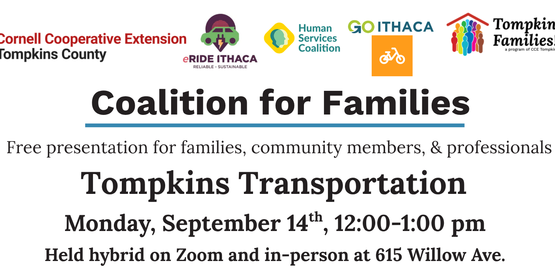
Coalition for Families: Tompkins Transportation
Monday, September 14
12:00 PM - 1:00 PM -
Food Preservation: Water Bath Canning Tomatoes
Wednesday, September 16
5:30 PM - 7:30 PM -
ZOOM: Parents Apart®
Saturday, September 19
9:00 AM - 11:00 AM -
Board of Directors Meeting
Thursday, October 1
5:00 PM - 7:00 PM -
CLOSED for Indigenous Peoples' Day
Monday, October 12
8:00 AM - 4:00 PM